From Data to Decisions: Why Autodesk Forma® Data Alone Isn’t Enough

From Data to Decisions: Why Autodesk Forma® Data Alone Isn’t Enough Most AEC firms using Autodesk Forma® are generating more project data than ever before. But more data doesn’t automatically lead to better decisions. Across planning, design, and construction workflows, teams are capturing RFIs, submittals, cost events, issues, and schedule updates in real time. The information exists. The challenge is that most organizations don’t have a clear way to turn that data into something usable. This isn’t a technology problem. It’s a translation problem. The platform changed. The data problem did not. Autodesk Forma represents a shift toward a more connected project environment. Planning, design, construction, and operations data now live within a more unified ecosystem. That’s a meaningful step forward. But even with better platforms, the core issue remains: Having access to data is not the same as using it effectively. Most teams still rely on manual reports, disconnected spreadsheets, or static exports to understand project performance. The data is there, but the connection between information and decision-making is still missing. Out-of-the-box analytics is a myth. There’s a common assumption that once data is available, insights will follow. In reality, exporting data through tools like the Forma Data Connector is only the starting point. Raw data is not a dashboard. It’s not structured for analysis, and it doesn’t answer questions on its own. Turning that data into something useful requires: Understanding how the data is structured Building relationships between datasets Designing visualizations that highlight what matters Most AEC teams are not set up to do this internally. They have project expertise, not data modeling expertise. The connector gets you to data. The real value comes from translating that data into answers. Project dashboards and executive dashboards are not the same. One of the most common mistakes we see is trying to build a single dashboard that serves everyone. Project teams and executives are not asking the same questions. Project teams need visibility into day-to-day execution, including RFI aging and response times, submittal status and bottlenecks, issue counts by type and location, and cost event pipelines. Executives need a completely different perspective, generally focused on portfolio-wide performance trends, turnaround times across projects, cost variance distribution, and risk indicators at a high level. When one dashboard tries to serve both audiences, it ends up serving neither well. The result is confusion, underutilization, and ultimately, a return to manual reporting. Effective analytics starts with understanding who needs to make decisions, in addition to what decisions they need to make. Inaction costs more than you think. The gap between available data and usable insights has real consequences. According to industry research, AEC firms with strong data capabilities see significantly better financial performance. One study found a 56 percent profit growth advantage for organizations that effectively leverage data compared to those that do not. The reality is that most firms already have the data they need. It’s just spread across logs, spreadsheets, and systems that don’t communicate clearly with one another. Without a structured way to analyze and compare that information, teams are left reacting instead of proactively managing projects. ENGworks Global builds analytics that support your outcomes. We don’t start with dashboards. We start with decisions. What does your team need to know? What are you trying to improve? Where are delays, risks, or inefficiencies showing up? From there, we work backward to structure the data and build analytics that support those outcomes. Our approach includes: Configuring account settings and data flows to support reporting Building Power BI dashboards aligned to your project structure, naming conventions, and workflows Creating separate views for project teams and executive stakeholders Establishing governance so dashboards remain accurate and consistent over time Analytics, like integration, is not a one-time setup. It’s an ongoing process that requires structure, ownership, and alignment across teams. When done correctly, it gives organizations both a clearer understanding of what’s happening across their projects, and the ability to act on it. Discover a faster path forward. If your firm is running projects in Autodesk Forma, but still relies on manual reporting, there is a more efficient way to turn your data into decisions. We can help you get there. Autodesk Trademark Notice:Autodesk, the Autodesk logo, and Forma are registered trademarks or trademarks of Autodesk, Inc., and/or its subsidiaries and/or affiliates in the USA and/or other countries. This publication is independent of Autodesk, Inc., and is not authorized by, endorsed by, sponsored by, affiliated with, or otherwise approved by Autodesk, Inc. 1-800-356-8933 info@ENGworksGlobal.com Facebook Twitter Instagram Youtube Linkedin Back to the Blog Related Posts UNIFI Pro Users: Your Clock Is Ticking • March 18, 2026 Why AEC Integrations Fail Before They Start • February 16, 2026 Harnessing API Resources for AutoCAD® and Civil 3D® • March 10, 2025
UNIFI Pro Users: Your Clock Is Ticking
UNIFI Pro Users: Your Clock Is Ticking Autodesk is sunsetting UNIFI Pro by July 2026. If you haven’t started planning your content migration, now is the time. At ENGworks Global, we’ve spent 35 years managing BIM content for the AEC industry. We know what transfers cleanly from your UNIFI library, and we know what doesn’t. That expertise is exactly what you need to execute a successful migration of your UNIFI Pro content. We’ll migrate your Revit families, no matter the destination. Whether your destination is Autodesk Content Catalog, AVAIL, SharePoint, Box, Egnyte, Dropbox, or your own managed file structure, ENGworks Global delivers a clean, audit-informed migration that protects your existing content and makes sure your team is productive on the first day after your migration. Here’s what we handle: Full content audit before a single file moves Metadata and tagging preserved (and enhanced) Collections, user groups, and permissions mapped to your new platform Revit system components that can’t be directly exported are managed properly Zero disruption to your active project workflows Don’t let the deadline make the decision for you. Let’s talk. 1-800-356-8933 info@ENGworksGlobal.com Facebook Twitter Instagram Youtube Linkedin Back to the Blog Related Posts Why AEC Integrations Fail Before They Start • February 16, 2026 Harnessing API Resources for AutoCAD® and Civil 3D® • March 10, 2025 Elevate Your Workflow – Computer Mouse Devices • August 30, 2022
Why AEC Integrations Fail Before They Start
Why AEC Integrations Fail Before They Start In the architecture, engineering, and construction (AEC) industry, integration is often sold as a shortcut. Connect your project management platform to your ERP, link your design tools to your document management system, and suddenly data flows cleanly across the entire project lifecycle. In reality, enterprise AEC integrations are rarely plug-and-play, and teams that expect them to be often pay the price later. Technology is not the problem. The problem is poor expectations and unchecked assumptions. The Myth of “Plug-and-Play” in AEC Most AEC organizations rely on a complex mix of tools: design platforms, analysis software, document management systems, ERPs, accounting tools, project management platforms, and custom workflows built over years. Each tool was adopted to solve a specific problem, often without a long-term integration strategy in mind. When integration efforts kick off, there is often an expectation that APIs or off-the-shelf connectors will handle the rest. But without alignment across data standards, workflows, and team responsibilities, those integrations become fragile. They break the moment real-world complexity enters the picture. In ENGworks Global’s experience, integration challenges typically come down to three core issues: 1. Inconsistent Data Structures Every platform in an AEC tech stack structures data differently. Cost codes in an ERP do not always map to categories in a project management tool. Naming conventions vary across teams and disciplines. Fields that exist in one system may be missing, formatted differently, or mean something entirely different in another. When systems try to exchange this data, errors compound quickly. 2. Lack of Governance and Ownership When no one owns the data standards or integration workflows, things start to drift. Teams build workarounds, manual fixes pile up, and the automation that was supposed to save time starts losing the trust of the people relying on it. 3. Misalignment With How People Actually Work Integrations designed in a vacuum often ignore day-to-day operations. If a workflow requires teams to manually update three systems when they are used to updating one, it will be bypassed. It does not matter how sophisticated the underlying technology is. Integration Is a Process, Not a Product Successful AEC integrations require more than connectors. They require disciplined process design, ongoing governance, and a clear understanding of downstream consequences. When data moves between systems, errors in one place ripple across the entire project. This is why enterprise integrations demand: Clearly defined data standards across platforms SOPs aligned to how teams actually operate Validation and testing across systems and disciplines Ongoing governance, not one-time setup Without these elements, integrations become brittle and expensive to maintain. Setting Realistic Expectations At ENGworks Global, we approach integration with realism. Enterprise AEC environments are complex by nature, and no two organizations structure their data or run their workflows the same way. Long-term success comes from designing integrations that align technology with how teams actually work, not forcing teams to adapt to rigid systems. The goal is not speed for its own sake. It is reliability, scalability, and trust. Trust in the data that drives decisions across every phase of a project, from planning and design through construction and operations. 1-800-356-8933 info@ENGworksGlobal.com Facebook Twitter Instagram Youtube Linkedin Back to the Blog Related Posts Harnessing API Resources for AutoCAD® and Civil 3D® • March 10, 2025 Elevate Your Workflow – Computer Mouse Devices • August 30, 2022 Visualizing BIM Content Quality and its Impacts • May 26, 2022
Harnessing API Resources for AutoCAD® and Civil 3D®
Harnessing API Resources for Autodesk® AutoCAD® and Autodesk® Civil 3D® In the Architecture, Engineering, and Construction (AEC) industry, data accessibility and utilization are paramount. Autodesk® AutoCAD® and Civil 3D® software offer robust Application Programming Interfaces (APIs) that empower professionals to customize workflows, automate tasks, and enhance productivity. Below is an overview of key developer resources specific to these platforms, designed to facilitate data querying and extraction. AutoCAD® Development Resources 1. Development Docs (Start here) Overview: A comprehensive resource providing detailed information on AutoCAD® APIs, including tutorials, guides, and reference materials. Benefits: Serves as the foundational starting point for developers to understand and effectively utilize AutoCAD® APIs. Resource: API Documentation 2. ObjectARX® (C++ API) Overview: A C++ class library that allows deep integration with AutoCAD® software. Benefits: Enables the creation of high-performance applications that can directly interact with AutoCAD®’s internal structures. Resource: Overview of ObjectARX 3. .NET API Overview: Provides managed code access to AutoCAD® functionalities using languages like C# and VB.NET. Benefits: Simplifies the development process with a more accessible programming model. Resource: Managed .NET Developer’s Guide (.NET) 4. AutoLISP® Overview: A domain-specific language designed for automating tasks and customizing AutoCAD® software. Benefits: Ideal for rapid development of routine automation and customization tasks. Resource: Introduction (AutoLISP) 5. ActiveX®/COM API Overview: Allows automation of AutoCAD® software through COM interfaces, suitable for integration with other Windows applications. Benefits: Facilitates interoperability between AutoCAD® and other software, enabling complex workflows. Resource: AutoCAD ActiveX and VBA Reference Civil 3D® Development Resources 1. Developer Docs (Start here) Overview: Provides access to Civil 3D® functionalities through managed code, allowing for customization and automation. Benefits: Enables developers to create applications that interact with Civil 3D® objects and data. Resource: Civil 3D API Overview 2. API Developer’s Guide Overview: Allows for automation and customization of Civil 3D® software using COM interfaces. Benefits: Suitable for integrating Civil 3D® with other applications and automating tasks. Resource: Civil 3D API Reference 3. Dynamo for Civil 3D® Overview: A visual programming tool that integrates with Civil 3D®, enabling users to automate tasks, process complex data, and generate geometry without extensive coding knowledge. Benefits: Empowers users to create custom scripts and workflows, enhancing design efficiency and reducing manual efforts. Resource: Dynamo for Civil 3D Summary Leveraging the development resources available for AutoCAD® and Civil 3D® software can enable you to work with your data in a variety of ways. Whether you’re automating repetitive tasks or developing custom applications, these APIs provide the tools necessary to optimize your workflows. Need assistance with automating and integrating your AutoCAD® and Civil 3D® data? Our expert team is here to help. Contact us today to learn more about our development services tailored to your needs. Trademark Attribution Autodesk, AutoCAD, Civil 3D, ObjectARX, AutoLISP, and ActiveX are registered trademarks or trademarks of Autodesk, Inc., and/or its subsidiaries and/or affiliates in the USA and other countries. 1-800-356-8933 info@ENGworksGlobal.com Facebook Twitter Instagram Youtube Linkedin Back to the Blog Related Posts Elevate Your Workflow – Computer Mouse Devices Elevate Your Workflow – Computer Mouse Devices • August 30, 2022 Visualizing BIM Content Quality and its Impacts Visualizing BIM Content Quality and its Impacts • May 26, 2022 Are You Losing Trust in Fabrication Content? Are You Losing Trust in Fabrication Content? • May 10, 2022
Elevate Your Workflow – Computer Mouse Devices

Elevate Your Workflow – Computer Mouse Devices Productivity comes in many forms, whether it is the tools, the technology enabled communication, connected workflows, or even the mindset. The ENGworks Global office recently took a survey called “Elevate Your Workflow” with a theme that focused on computer mouse devices. We participated in this survey because we were curious to know if there was an edge to using particular devices in BIM related roles. Whether it was the lights, the buttons, or cool racing stripes… we wanted to understand what moves the needle in productivity. Most importantly, we wanted to pass those insights on to you. Read further to see our analysis, our survey results, and our top 10 recommendations to elevate your workflow. Highlights from the Survey Responses To start off, here is a visual that shows an overall ranking with the top three features across all mouse devices that appeared in the survey results. Now, let’s get into an analysis of specific features. Programmable Buttons & Wireless vs. Wired Debate In my personal experience, I have found that equipment meant for gaming purposes can work well in CAD and BIM related roles. Gaming equipment has a lot more features, customizations, buttons, and the performance to handle long durations of use, which could be a very suitable solution in the AEC industry as well. Programmable buttons on mouse devices are popular for gaming because of the built-in shortcuts and macros that can be context specific in different games. With the plethora of software available in the industry, I had wondered if that would translate as a use case for shortcut commands in Autodesk® Revit® or AutoCAD®, for example. To my surprise, more programmable buttons didn’t always necessarily mean “better” or “more popular.” In fact, mouse devices with fewer than five buttons received almost double the amount of survey responses compared to those that exceeded 10 buttons. These mouse devices also tripled the amount of responses compared to those that had 6 to 10 buttons. Additionally, the race was very very close between wired and wireless mouse devices. It just so happens in this office that wired beat out wireless mouse devices, according to the number of survey responses. Full Feature Breakdown Here is a full breakdown of all features and all mouse devices that appeared in the survey results. Notice that several differently ‘called out’ features are noted by independent survey respondents and ultimately result in similar mouse recommendations. Mouse Device Recommendations Here are our mouse recommendations along with comments about each one. 1 – Logitech G502 HERO: This mouse device is the most popular device in the office. It is noted that while it is Number One on the list, the 10+ button feature category responses are only attributed to this mouse device and no others. From my personal experience, I have programmed the lower rhombus shaped button as a trigger to make emails automatically read and archived to a certain folder. I have also configured the top scroll wheel to automatically set up an MS Teams invite by toggling it to a hard left. Finally, the lights are pretty cool. Here are additional comments about this mouse below. “Many programmable buttons within easy reach of index finger/thumb.“ “Ergonomic, suitable for palm and claw style grips.“ “Unlike other mice with programmable buttons, this mouse uses the G-Shift button that gives double functionality to each programmable button.“ “Increases speed“ “Programmable buttons that are context specific.“ 2 – Logitech M500: This mouse device is the next most popular mouse device in the office. Based on the comments below, it seems simple yet mighty. For those who are interested in something that just gets the job done and do not need a lot of bells and whistles, check out the comments below. “Simple, easy, responsive…not too complicated“ “It has outlived 3 PCs and hasn’t failed me yet.“ “It allows me to navigate different facets of my work environment more quickly.“ “Reliable“ “Cool racing stripes”*** 3 – Logitech MX Master: This mouse seems to be a step up from a traditional design but with a little ergonomic flair. “Ergonomic design is nice for long work days, and the app specific customization makes me more efficient.“ “Ease of use and comfortable in hand.“ 4 – DELUX Ergonomic: This mouse is definitely for those who are more serious about ergonomic design. Those who experience strain from using traditional mouse devices may benefit from thinking outside the box a bit. “The position of the wrist and hand while using a vertical mouse is more comfortable than twisting the wrist to match the traditional mouse. If you have to pull your hand out every once in a while because it’s strained, then comfort is the most important criteria here.“ “Programmable buttons in the mouse decrease the time of travel from your mouse to keyboard and back to mouse when performing commands, therefore, increasing productivity. The keyboard can also have programmable buttons so this is not that big of a criteria.“ “Vertical Position“ 5 – 3Dconnexion SpaceMouse® Wireless: Well, this is certainly a different design altogether. Rather than a re-purposed gaming mouse, this mouse seems to have been designed specifically for those using CAD applications. “6 degrees of Freedom with 3D modeling software. Aids in easier navigation and makes the 3D model navigation in Navisworks/Revizto look more professional for Coordination meetings.“ 6 – iClever Ergonomic: The picture really doesn’t do this one justice. This one also appears to have more of a vertical design. It gives off a feeling of working on while on the beach with its interesting seashell shape. “Extended wrist rest provides user friendly experience, and avoids any hand pain.“ “Hours of clicking sounds can be annoying. The reduced tip noise improves concentration, learning, and productivity.“ 7 – Razer Naga Hex V2/Trinity: According to the website, “Razer™ is the world’s leading lifestyle brand for gamers.”(MOBA / MMO Gaming Mouse – Razer Naga Trinity). This could be another great option for those interested in mapping keyboard
Revizto for Continuity
Revizto for Continuity With the #DigitalTransformation of our design and construction processes, ENGworks has implemented Revizto to promote collaboration on projects. Want to know some of our tips and tricks? Please fill out the form to read about how ENGworks implements Revizto to promote collaboration on projects. 1-800-356-8933 info@ENGworksGlobal.com Facebook Twitter Instagram Youtube Linkedin
Mercy Hospital Jefferson Case Study

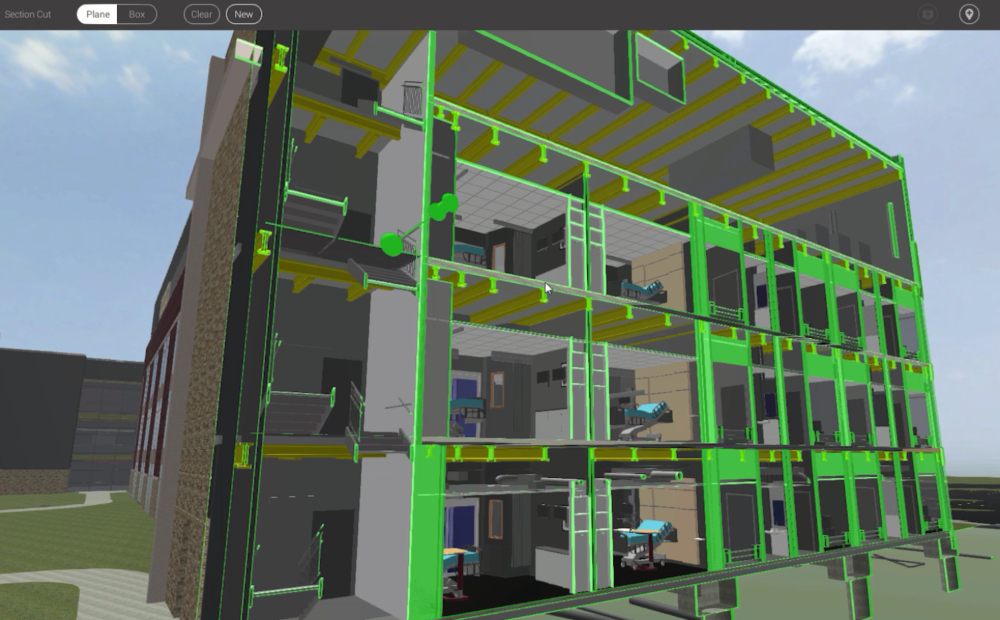
Mercy Hospital Jefferson Case Study ENGworks believes in a whole building perspective to combine sustainable design, data, and technology. Owners are realizing the value of accurate as-built models and information as a project deliverable, not only for a 3D visualization tool but as a means of organizing and connecting the BIM database of information to address any issue over a facility’s lifecycle. The Enhanced Integration process takes technology, sharpens it, and facilitates collaboration that transforms vision into reality. Please fill out the form to read about Why Enhanced Integration Matters to Owners. 1-800-356-8933 info@ENGworksGlobal.com Facebook Twitter Instagram Youtube Linkedin
ENGworks Value Addition

ENGworks Value Addition Please fill out the form to read about our Value Additions to your company, team, and/or project. 1-800-356-8933 info@ENGworksGlobal.com Facebook Twitter Instagram Youtube Linkedin